Not a concept — A working platform
Every screen below was captured from a running deployment — the same workspace, agents and dashboards your team would use on day one.
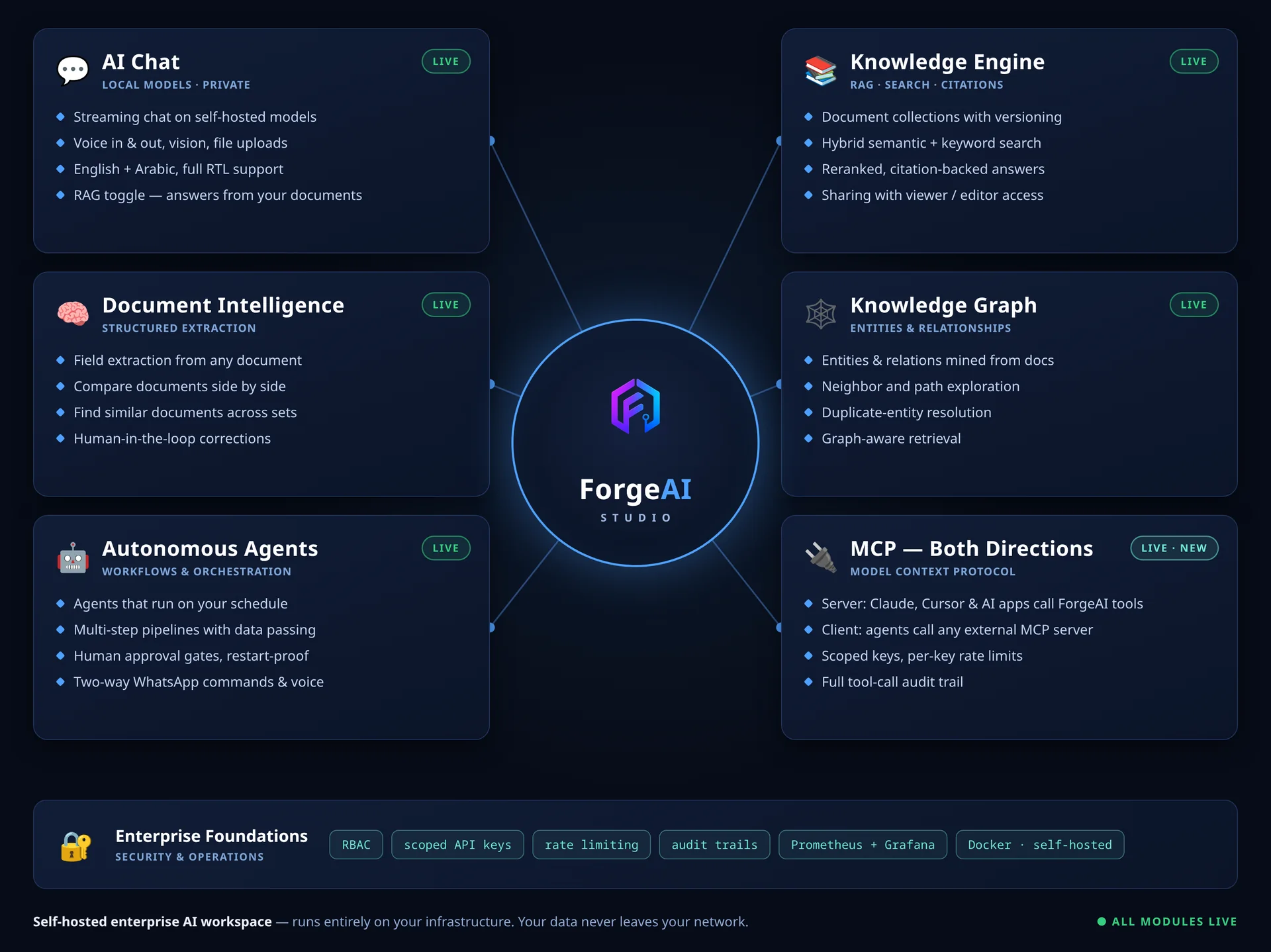
The whole platform, at a glance
Chat, knowledge, document intelligence, a knowledge graph, autonomous agents and MCP — every module live and running on your own infrastructure. Your data never leaves your network.
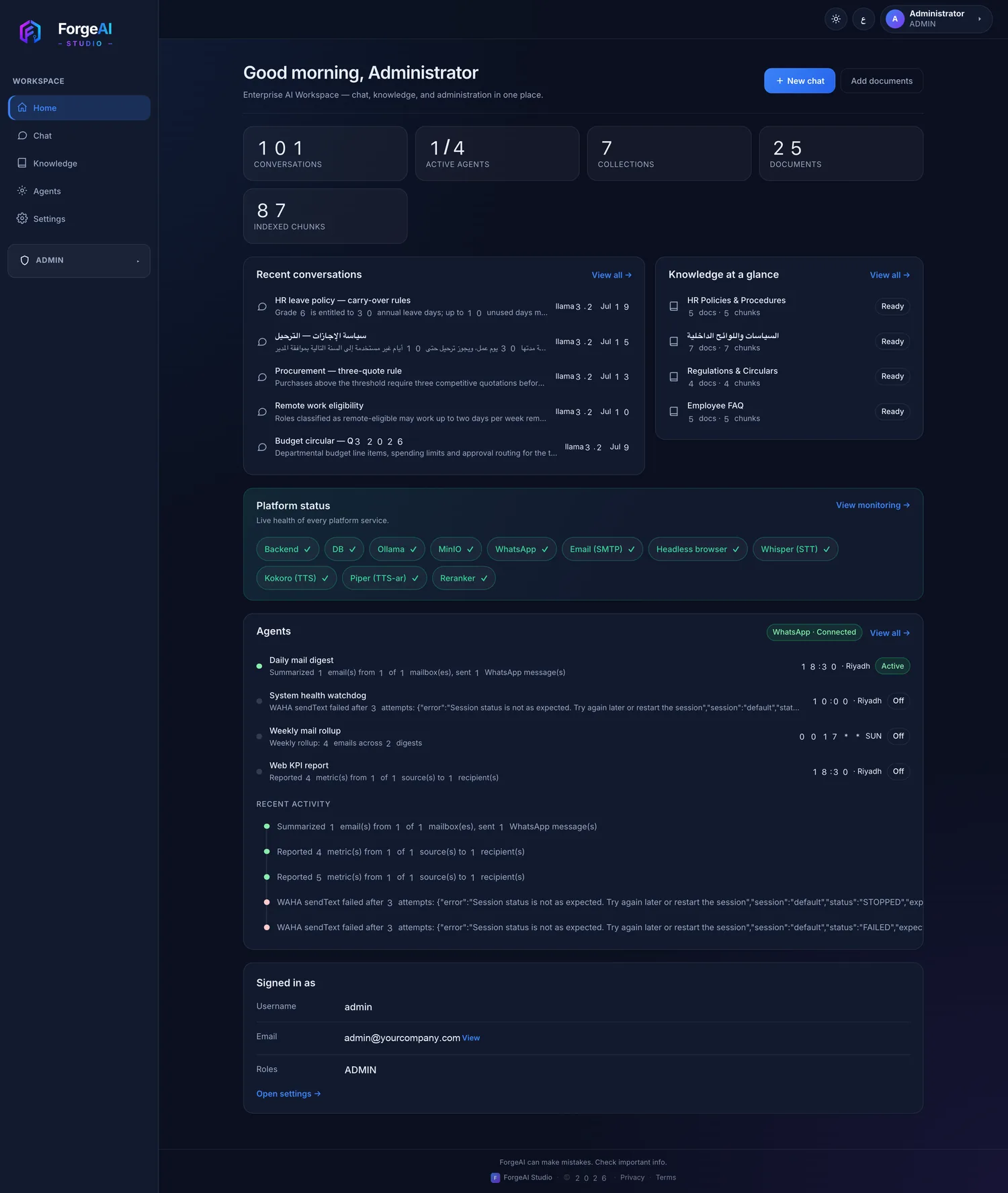
Your workspace at a glance
Recent conversations, knowledge collections, live health of every service and what your agents did overnight — one screen.
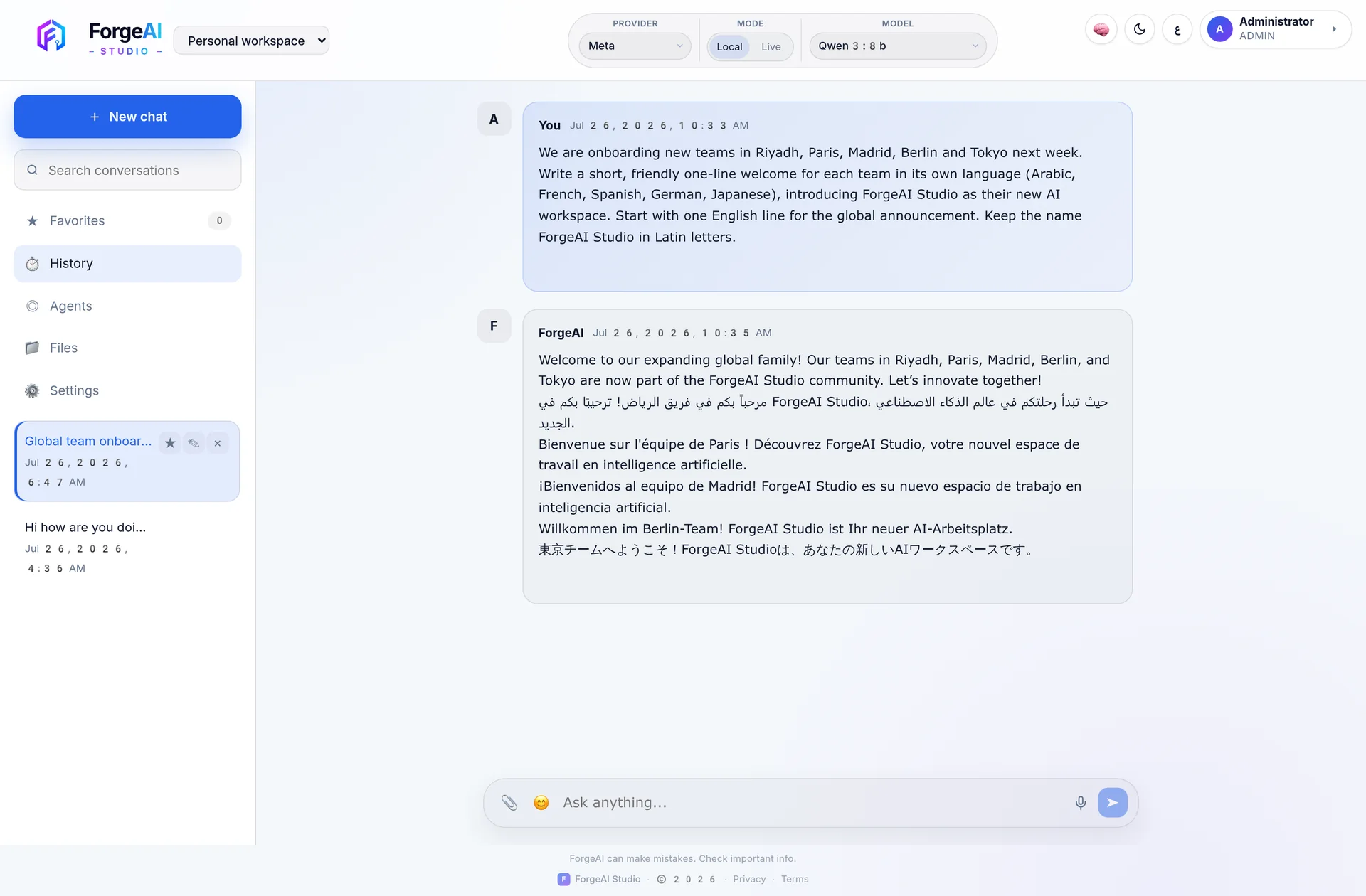
One prompt, fifty-plus languages
Ask in any language, answer in any language. Switch provider and model per conversation — local or hosted.
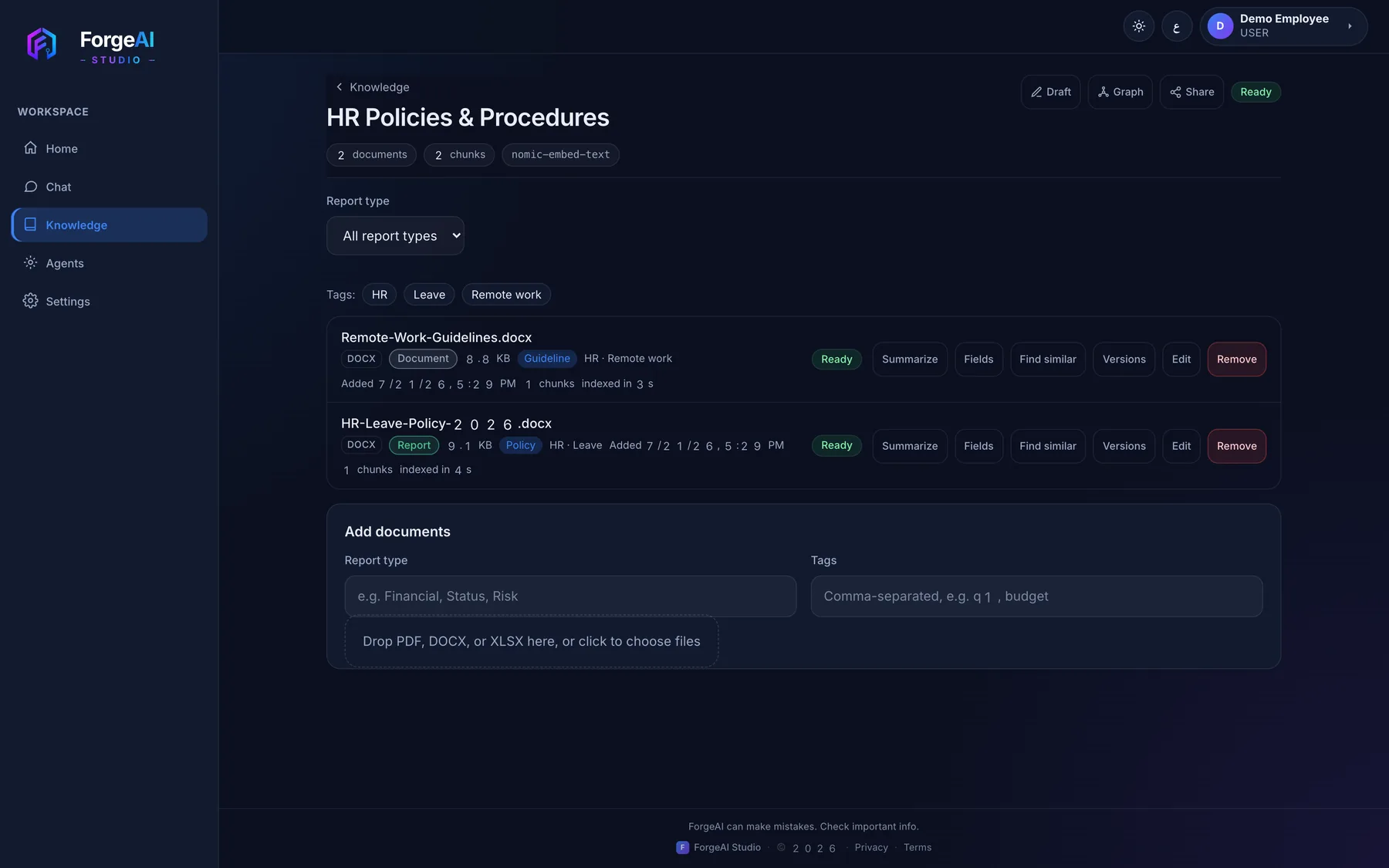
Collections that stay current
Drop in PDFs, Word or Excel and they are chunked, embedded and searchable in seconds. Every document carries tags and a report type, and can be summarized, compared, versioned or matched against similar files — without leaving the page.
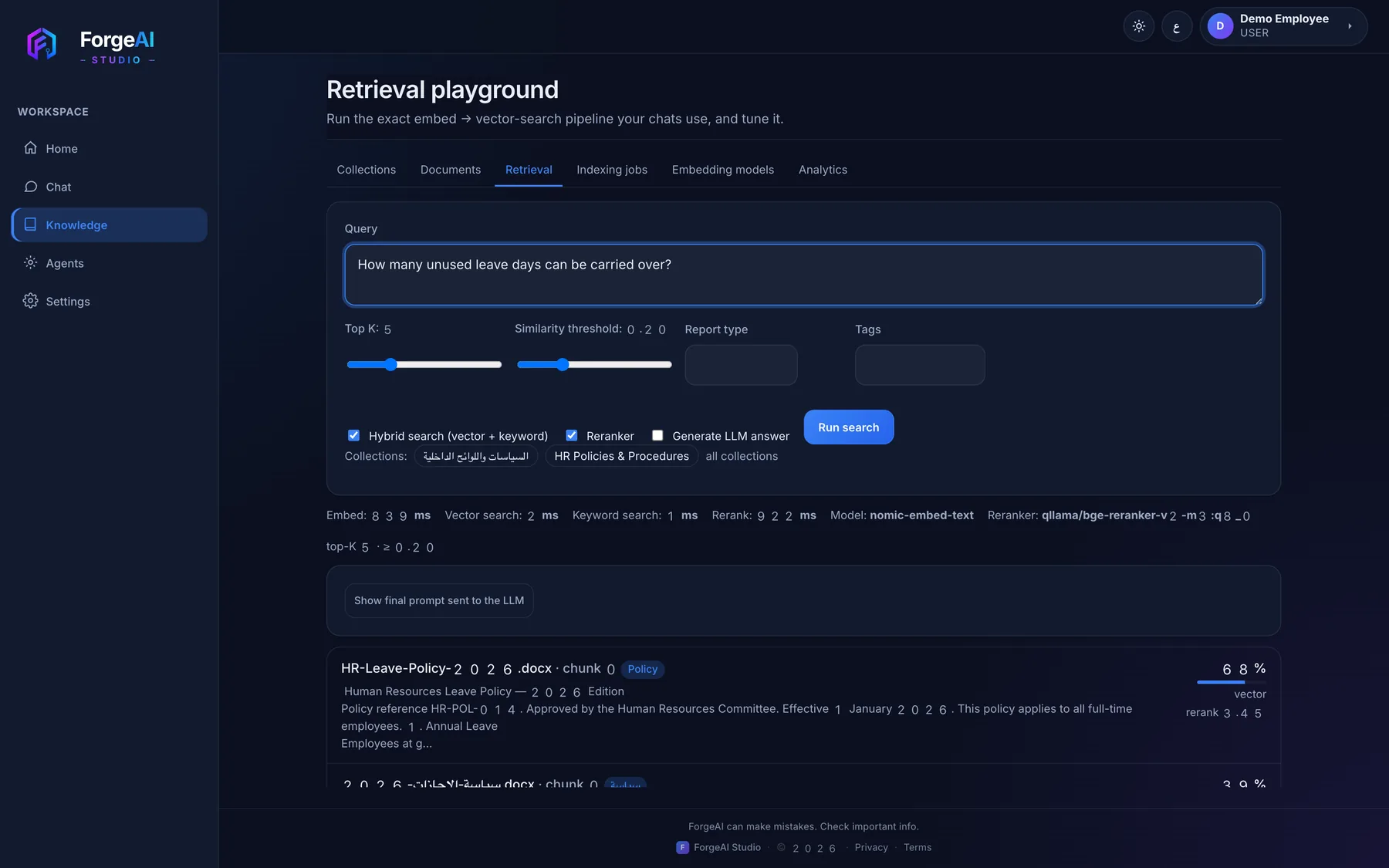
See exactly why an answer was given
Run the same pipeline your chats use — hybrid search, reranking, top-K and thresholds — and read the scored chunks and timings behind every result.
Documents become structured data
Fields extracted from any document, quotes compared side by side and grounded drafts written from the evidence — the same engine ForgeAI Procure runs on.
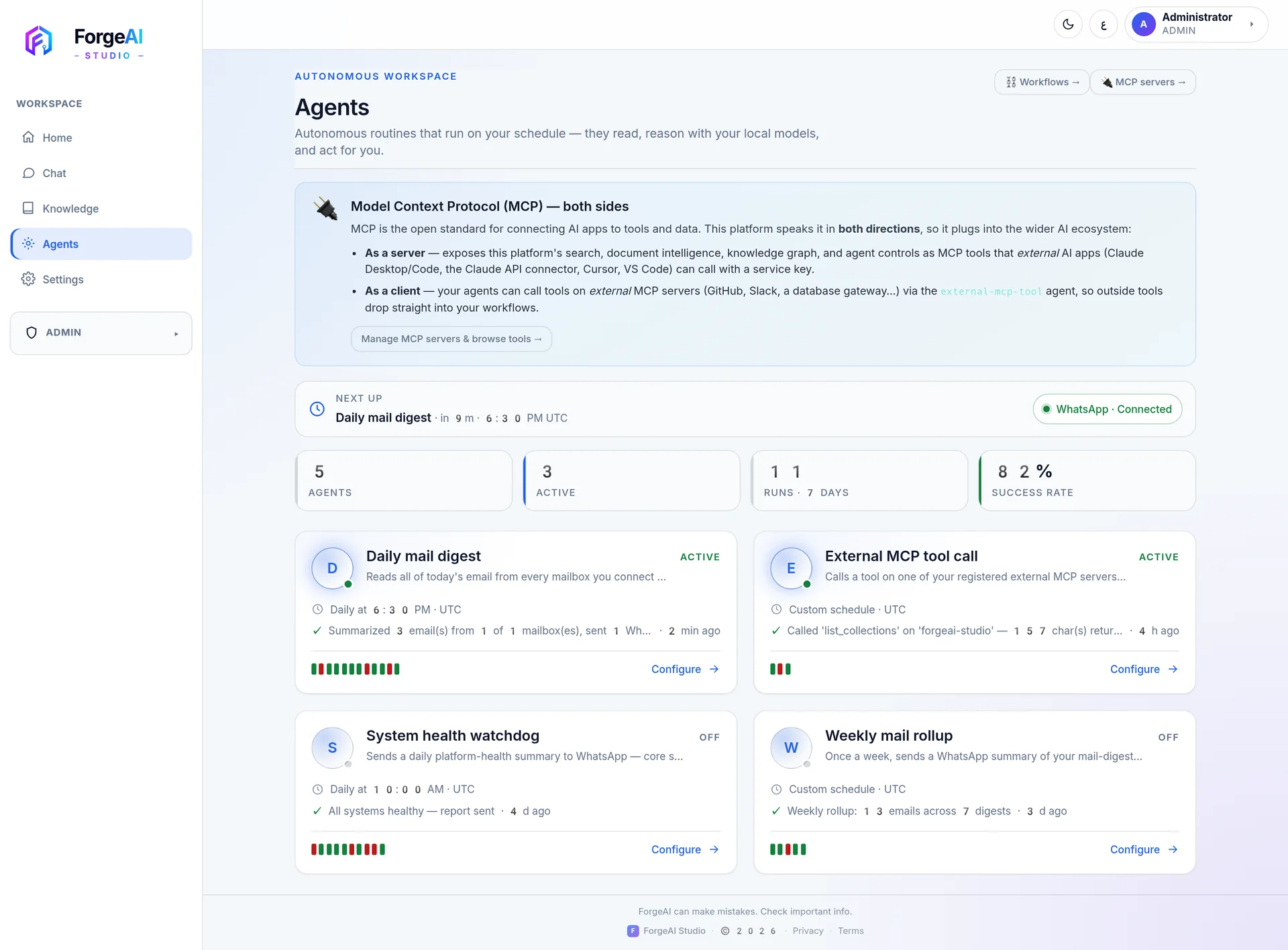
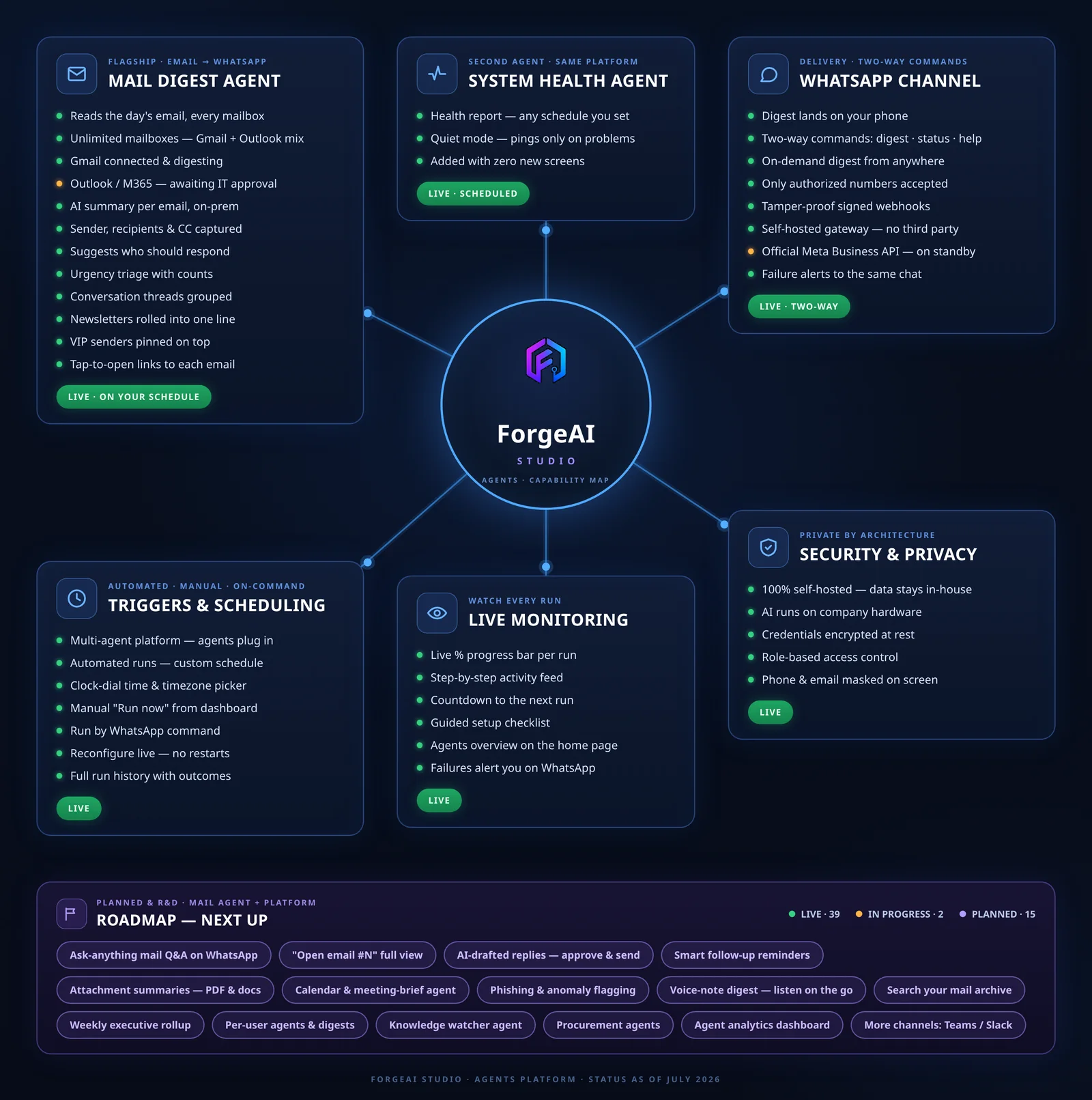
Agents that work while you don't
Autonomous routines run on your schedule — reading, reasoning with your local models and acting for you. Every run is tracked with a live progress feed, full history and a success rate.
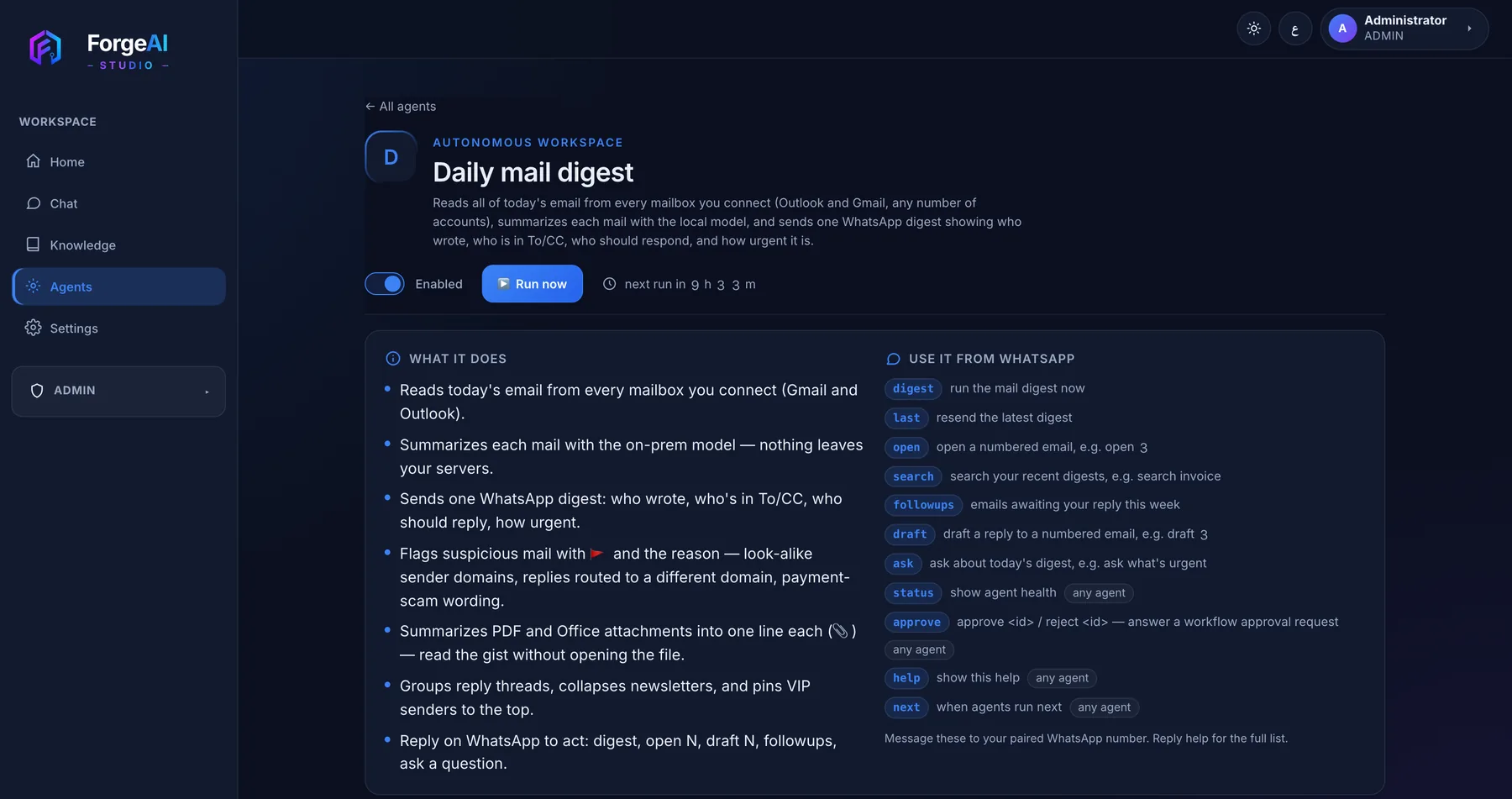
The flagship: your inbox, summarised
Reads every mailbox you connect, summarises each mail on-prem, flags suspicious senders and sends one WhatsApp digest — then answers commands like digest, open 3 or draft 3.
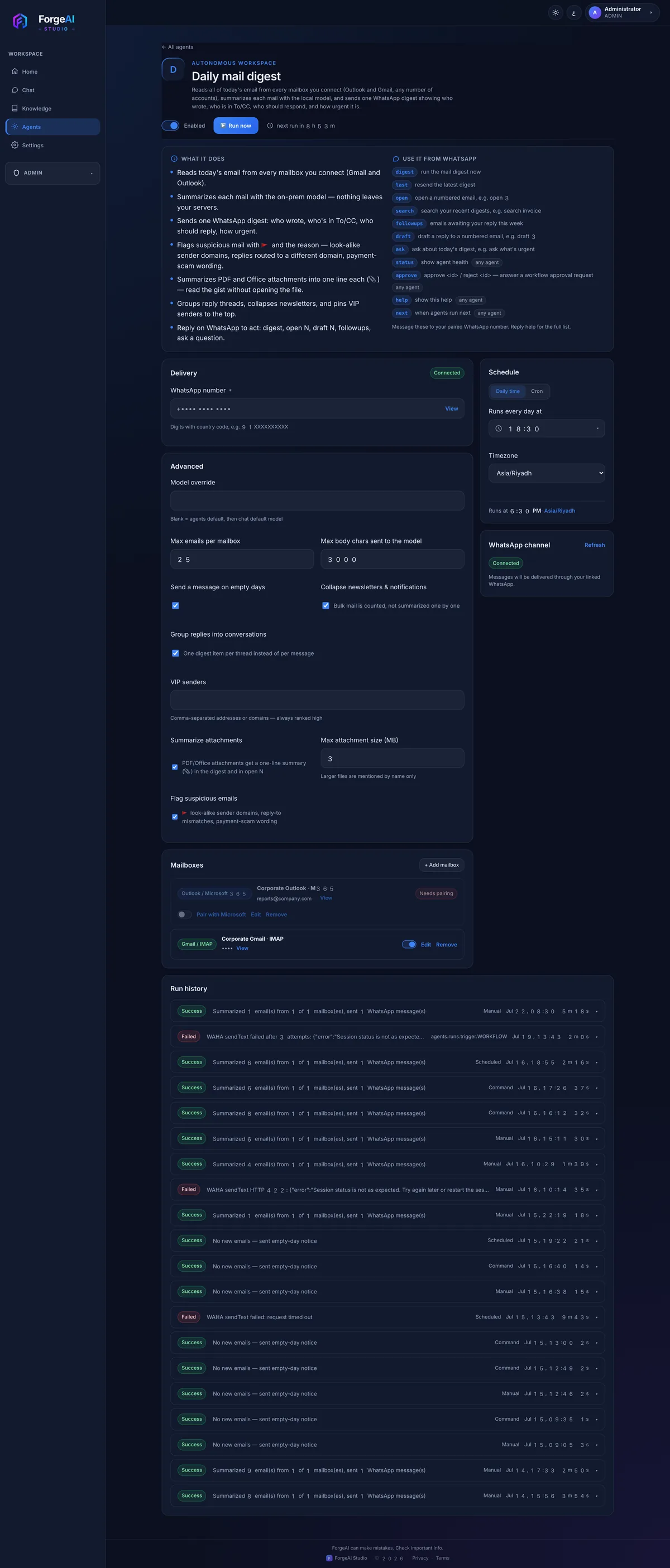
Configure, schedule, audit
Pick the time and timezone, connect Gmail or Outlook mailboxes, tune limits and VIP senders — and review every past run with its outcome.
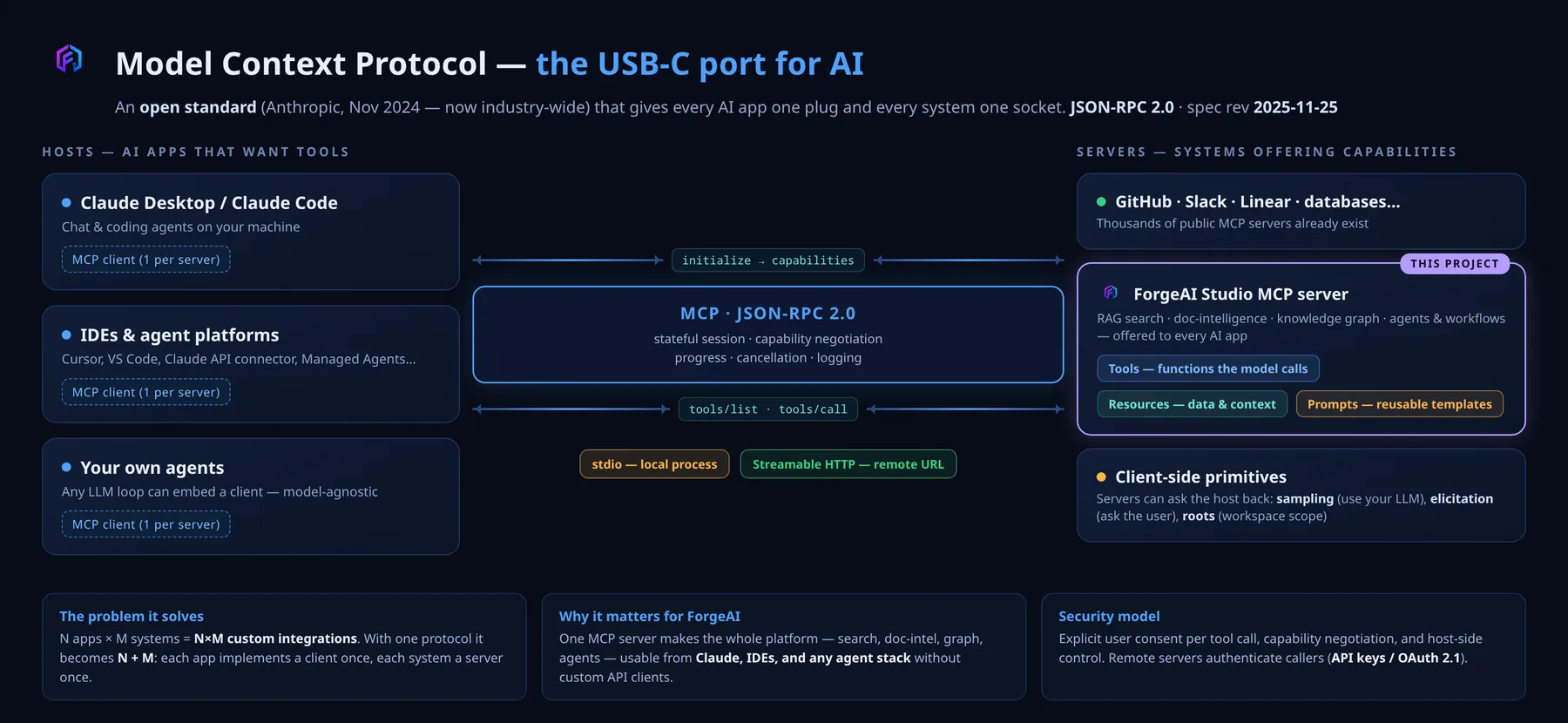
MCP — the USB-C port for AI
One open standard so every AI app has one plug and every system one socket. Instead of N×M custom integrations, each app implements a client once and each system a server once.
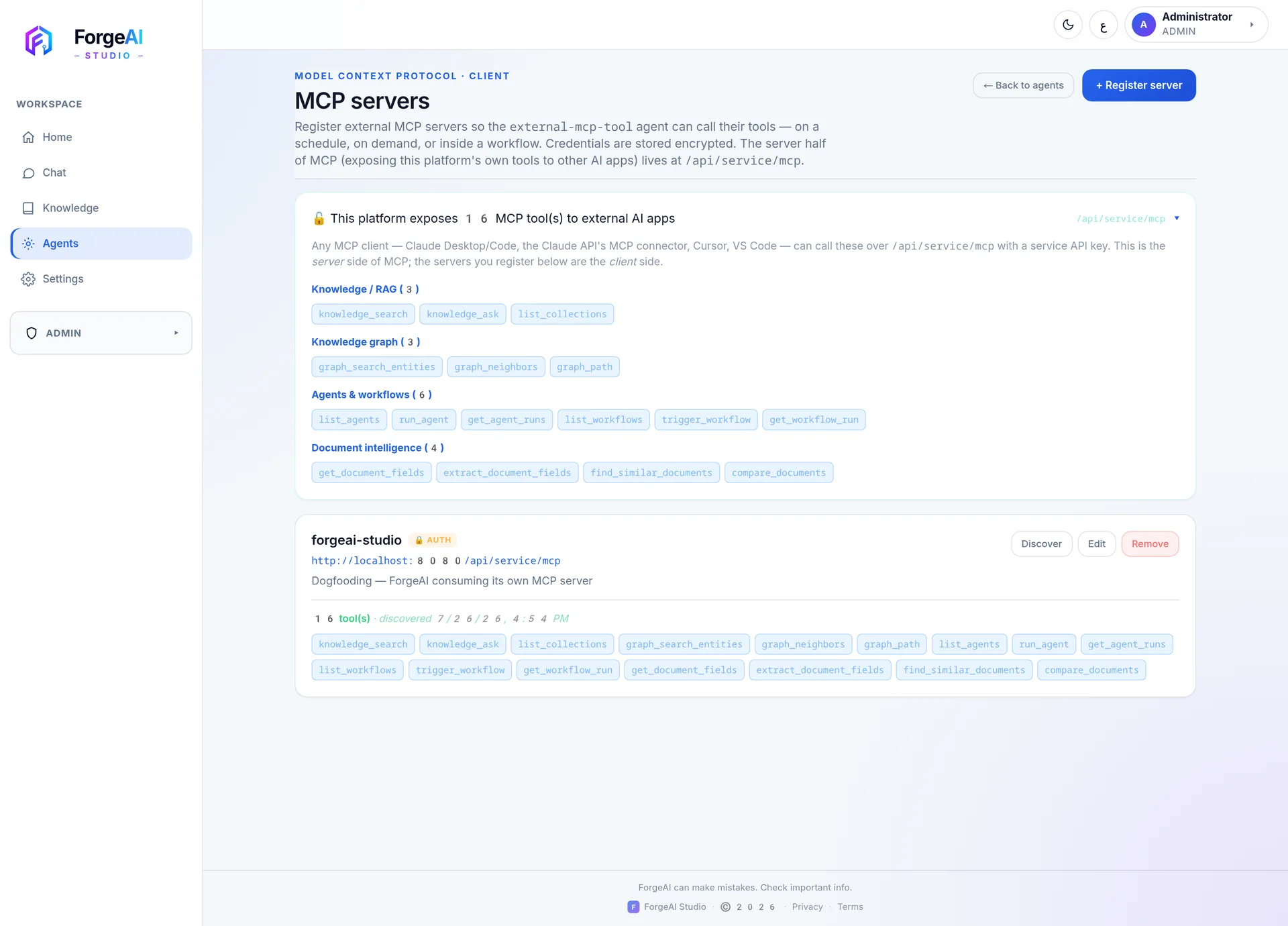
Speaks it in both directions
As a server it offers 16 tools — search, document intelligence, knowledge graph, agent controls — to Claude, Cursor or VS Code. As a client, your agents call tools on any external MCP server. Scoped keys, rate limits and a full tool-call audit trail throughout.
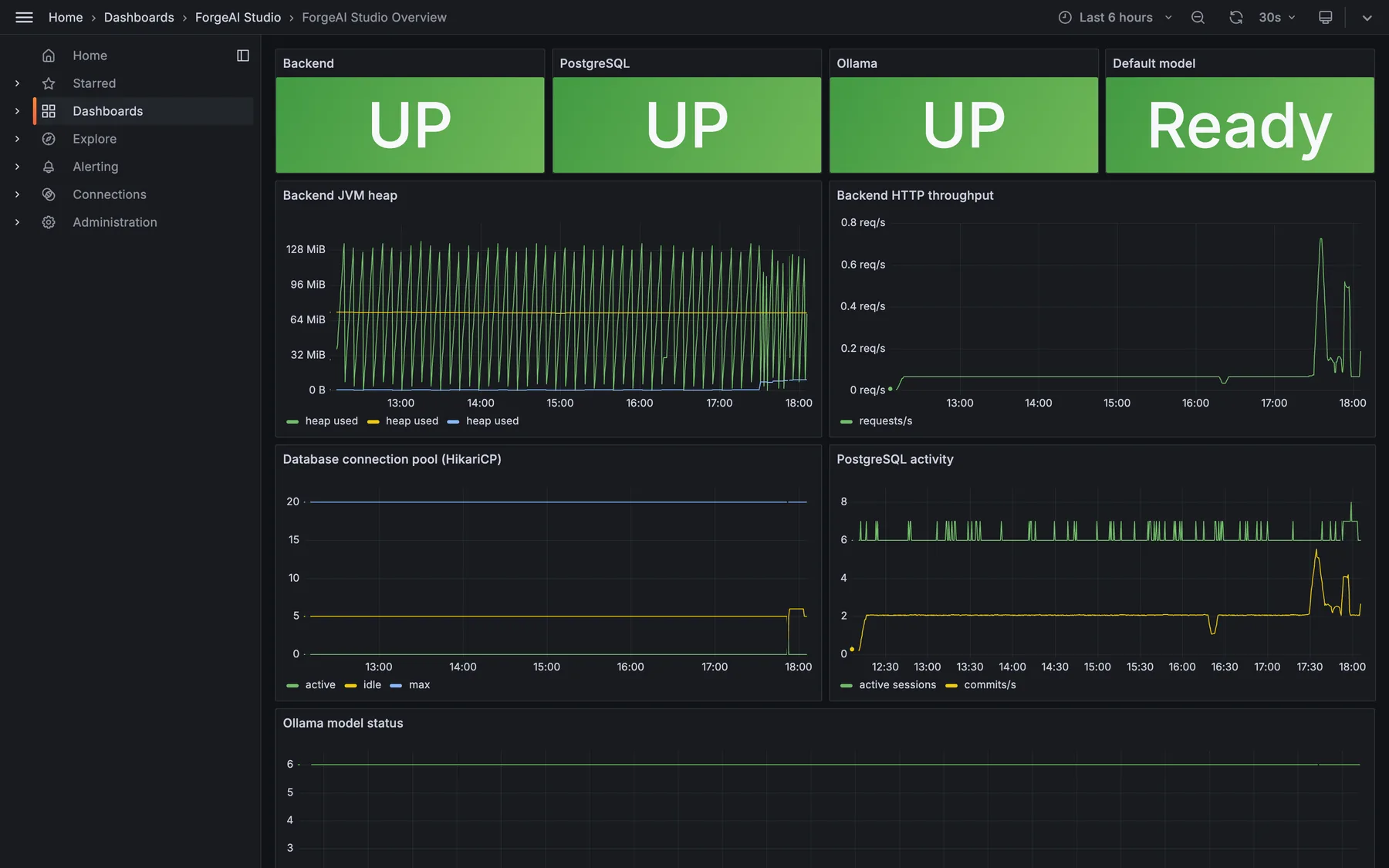
Observability, out of the box
Prometheus metrics and ready-made Grafana dashboards ship with the platform — service status, JVM heap, request throughput, database activity and model runtime, all on one board.
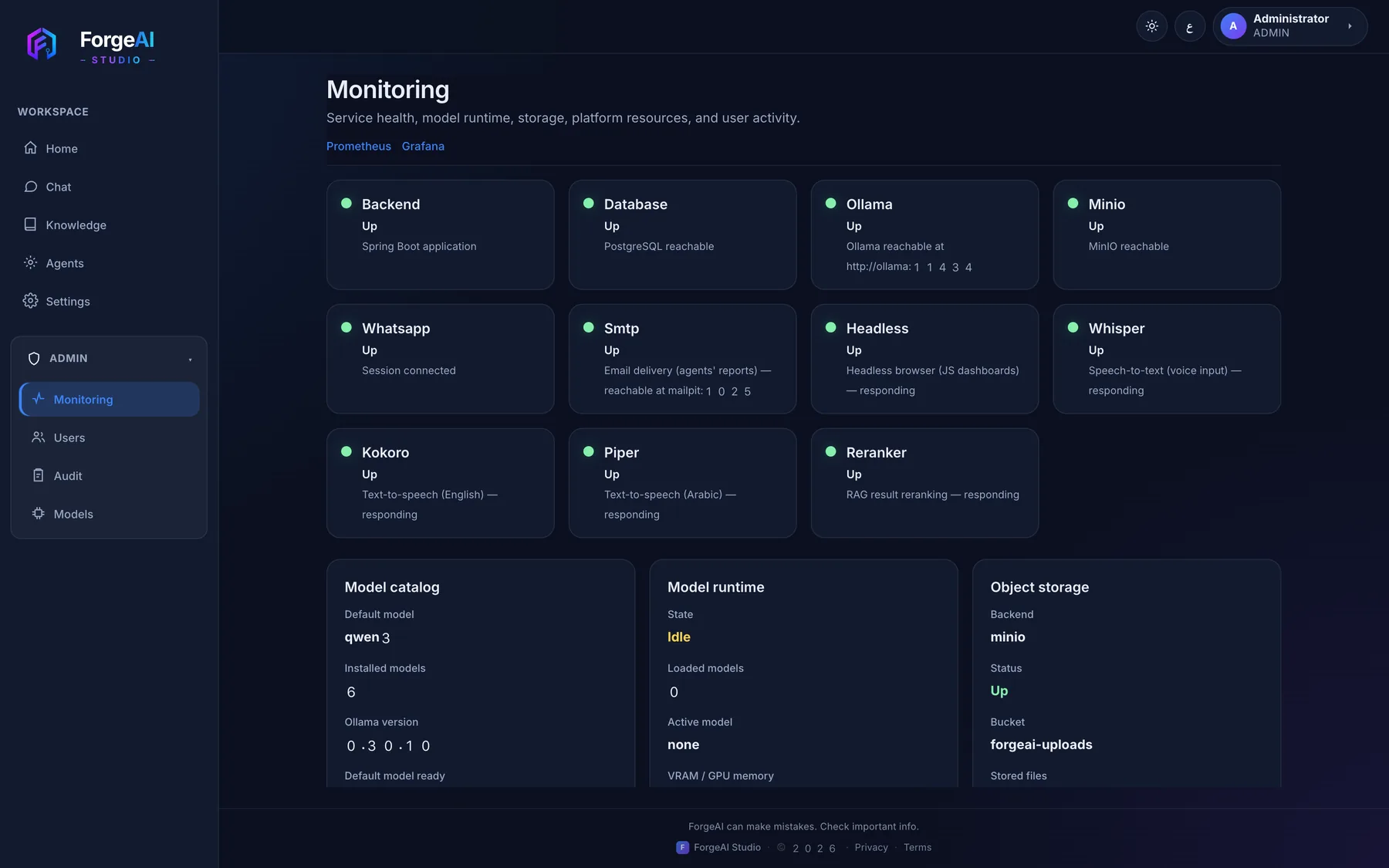
Every service, one health board
Backend, database, models, storage, messaging, speech and reranking — each with a live status and what it is responsible for.
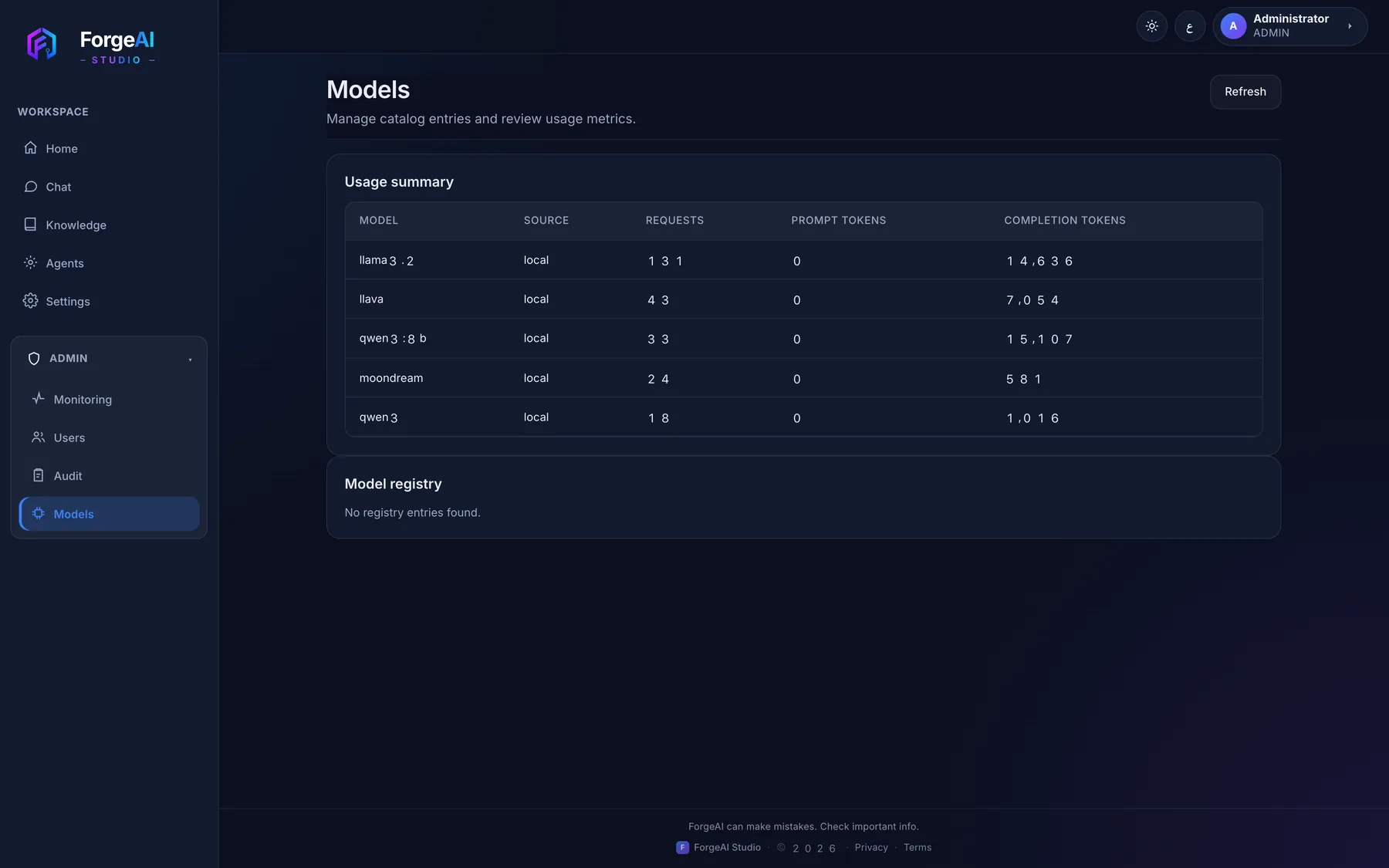
Model catalog and real usage
Which models are installed, how often each is called and how many tokens they produced — so capacity decisions come from data.
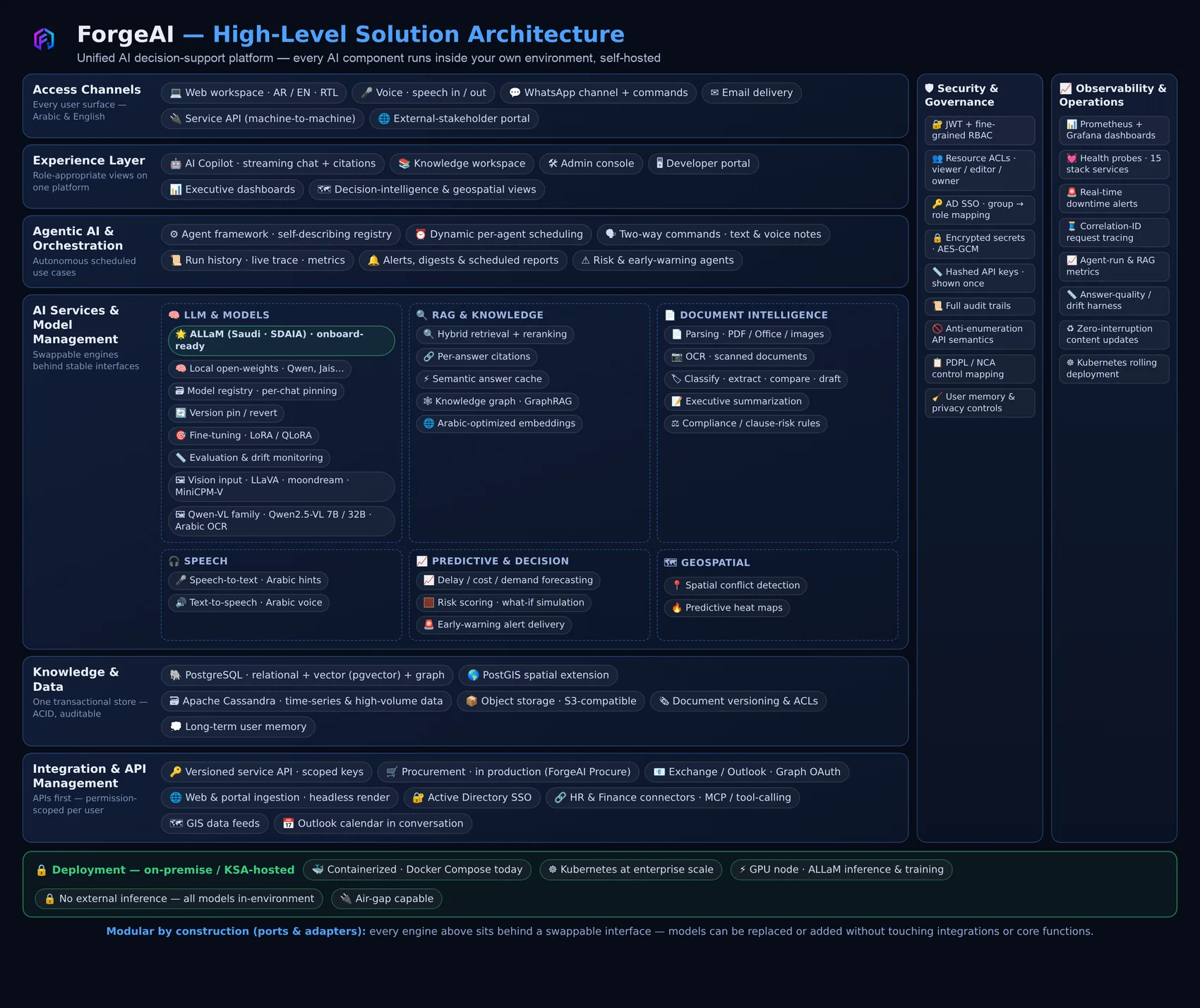
The solution, end to end
How the whole platform fits together: every access channel, the experience layer, agent orchestration, the AI services, one auditable data store, and the security and observability that wrap all of it. Shipped modules sit alongside the blueprint for what a full enterprise rollout adds.
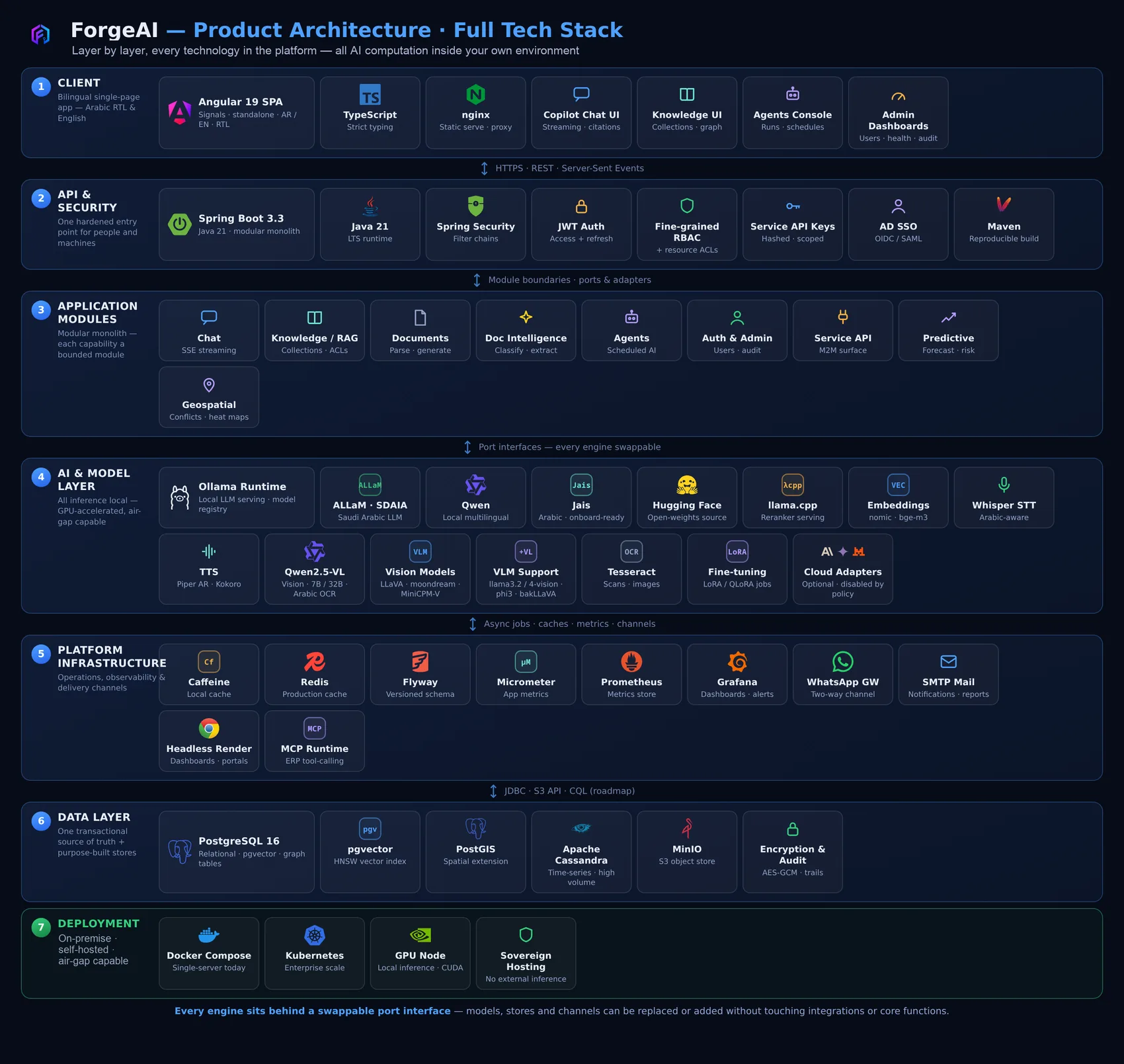
Every layer, every technology
Seven layers from the Angular client down to deployment — Java 21 and Spring Boot, the module boundaries, local model runtimes, caches and channels, PostgreSQL with pgvector, and containerised delivery. Every engine sits behind a swappable port, so models and stores can be replaced without touching the core.
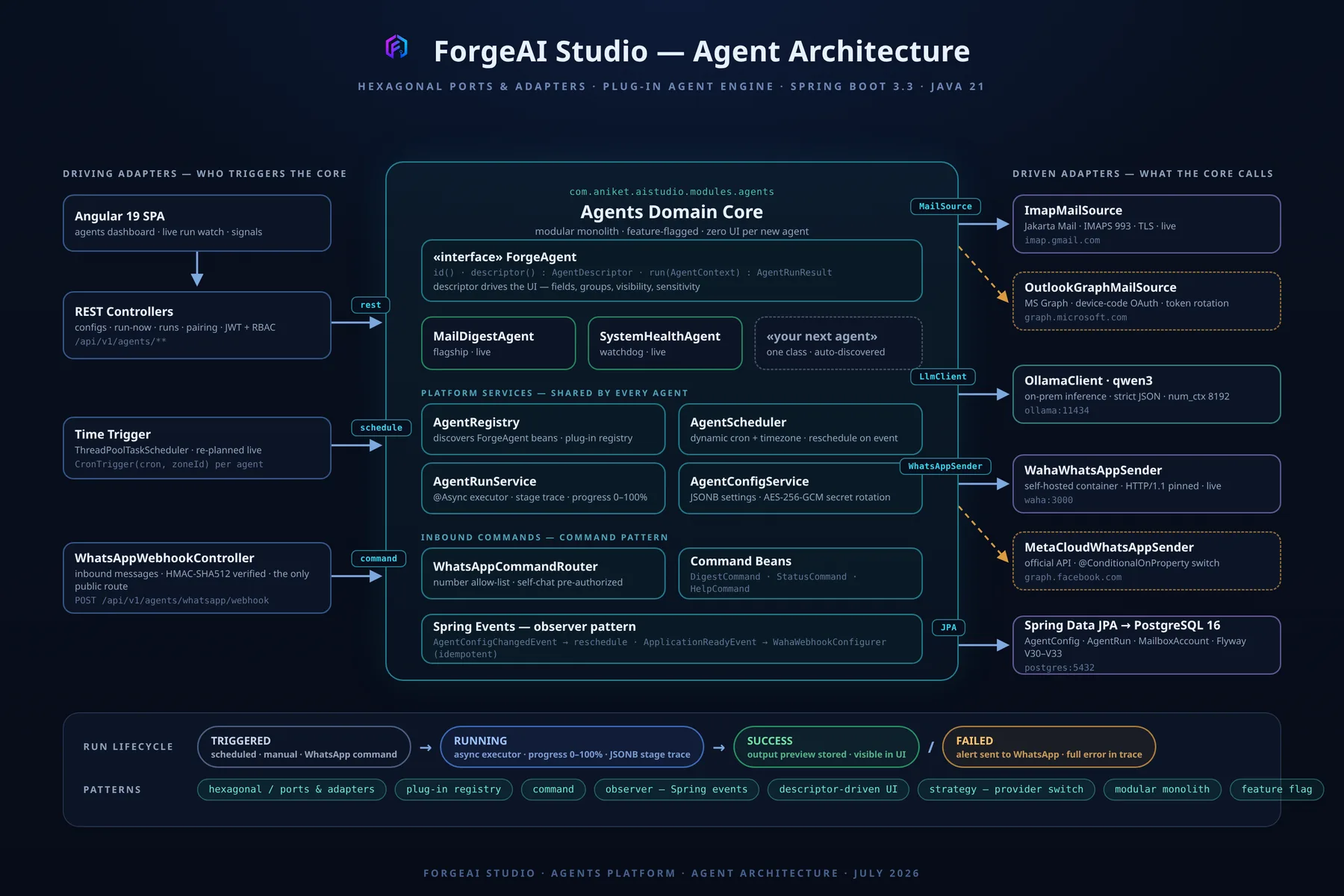
How an agent is actually built
Hexagonal ports and adapters around an agents domain core: schedulers and webhooks drive it, mail sources, model clients and messaging adapters hang off it, and a new agent is one class the registry discovers on its own — no new screens required.
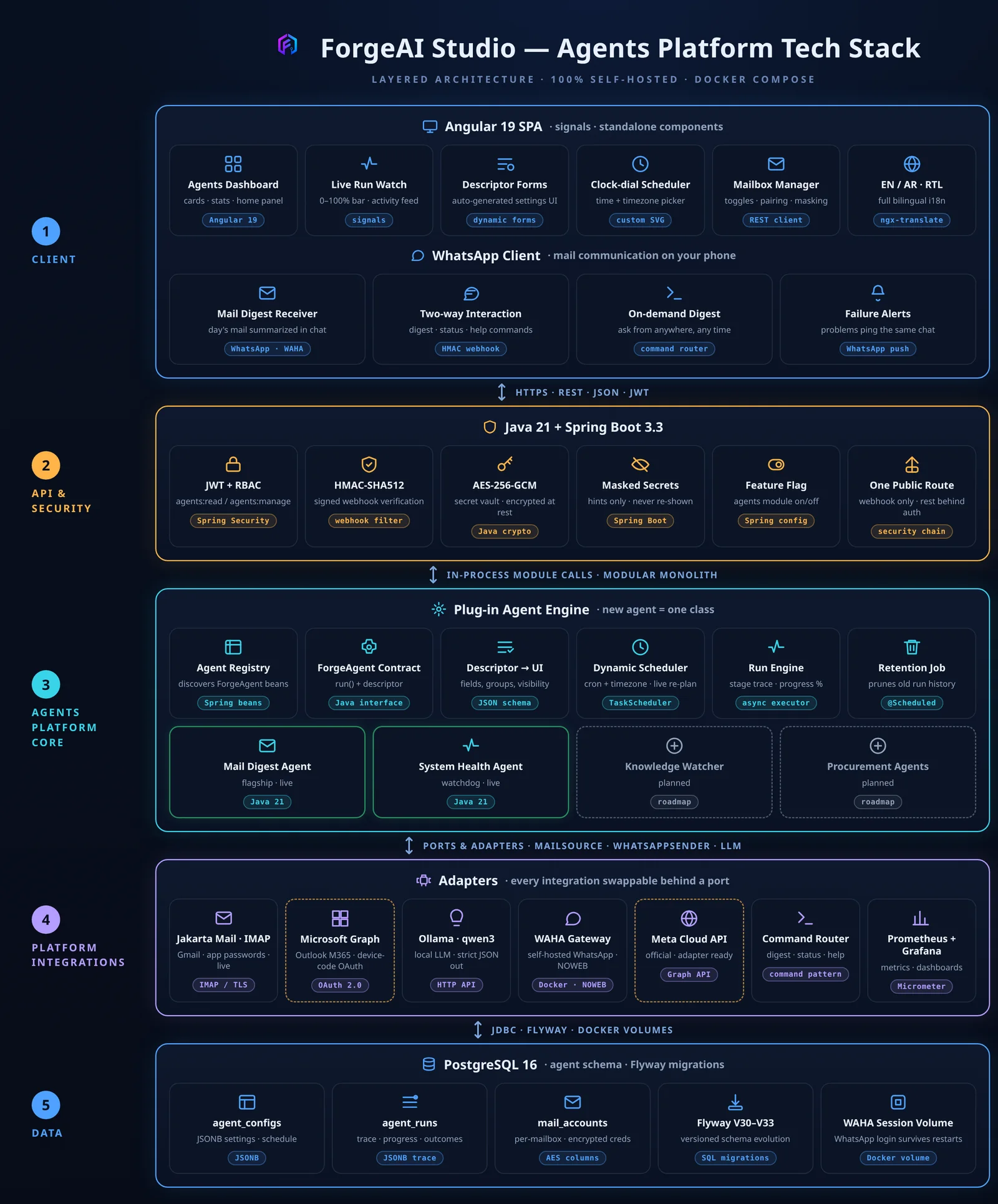
The agents platform, layer by layer
The same view for the agents module: the dashboard and WhatsApp client on top, the plug-in agent engine at the centre, swappable integrations beneath it, and the agent tables underneath.